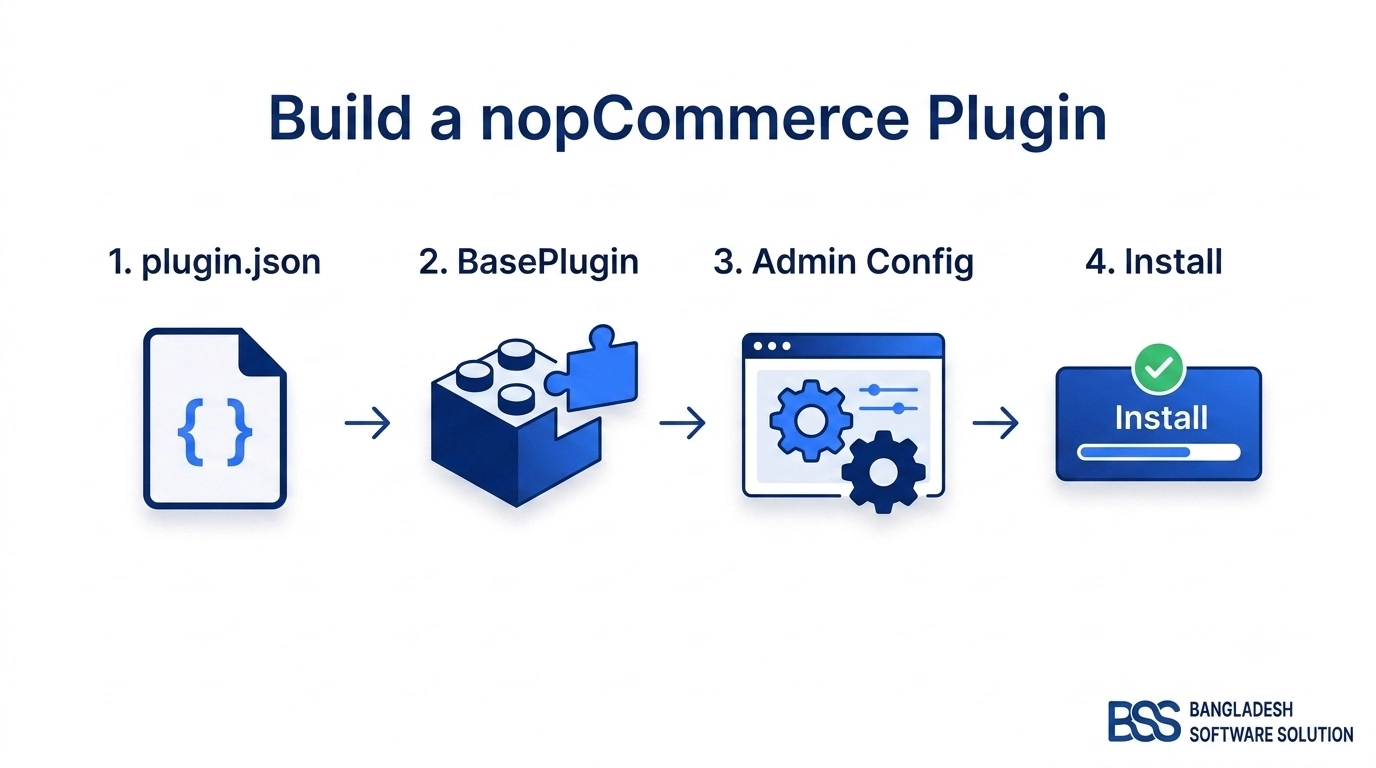
A merchant signs with a regional acquirer, and the nopCommerce admin has no plugin for it. The only way forward is to write one, and a payment plugin is the strictest kind: it sits in the checkout, it moves money, and a wrong flag shows a store manager a button that fails.
This guide builds one against the nopCommerce 5.00 source, using a made-up gateway called AcmePay. Every interface, enum and file below is read from the 4.80.0, 5.00.0 and 5.00.1 tags on GitHub and from the two payment plugins that ship with the platform.
It assumes you know the plugin basics. If you need them first, our guide to creating a nopCommerce plugin covers the project, the build and the first install.
Key fact: IPaymentMethod has 21 members and is identical in nopCommerce 4.80.0 and 5.00.0. What moved is around it: the project targets .NET 10, and ProcessPaymentRequest.CustomValues changed type between 4.80 and 4.90.
Do You Need a Custom Payment Plugin?

Check the plugin list before you open Visual Studio. The nopCommerce 5.00.1 source ships two payment plugins, Check / Money Order and PayPal Commerce, and every other gateway comes from a plugin you install. Our own documentation lists BSS plugins for Stripe, Mollie, Paddle, bKash and SSLCommerz in the Payments and Checkouts group.
| Path | What it involves | Choose it when |
|---|---|---|
| Install a published plugin | Upload, install and configure in the admin. No code. | A maintained plugin for your gateway and your nopCommerce version already exists. |
| Build your own (this guide) | Implement IPaymentMethod against the gateway's API, with settings and a checkout step. |
The gateway is regional, in-house or has no plugin, and you can own the testing. |
| Have a team build it | A developer team builds, tests and maintains the plugin for you. | You want the flexibility without carrying the maintenance yourself. |
If the gateway is PayPal, the admin-side setup is a different job, and our guide to setting up PayPal in nopCommerce walks through it. If a plugin exists but you are choosing between several, our payment plugin comparison helps.

If your gateway is Stripe and your store has several vendors, this plugin takes one Stripe Checkout payment and splits it across them.

Before you start, write down the three things the plugin needs from the gateway: how to take a payment, how to refund it and how to hear back. If the gateway answers all three with plain REST calls, the build is small. If one needs a certified SDK or a bank onboarding step, plan it as a project. The docs of our Stripe Connect plugin show how a finished gateway plugin explains its own setup.
Gateway with no plugin and no time to build one? BSS connects payment gateways to nopCommerce checkout as part of its integration work.
Talk to the BSS teamThe IPaymentMethod Contract: 21 Members, Four Groups

Every payment plugin implements IPaymentMethod, which lives in Nop.Services.Payments and extends the IPlugin base every plugin shares. The file at the 4.80.0 tag and the file at the 5.00.0 tag are the same, member for member: 14 methods and 7 properties.
The members fall into four groups, and the table says what nopCommerce uses each for.
| Group | Members | What nopCommerce uses it for |
|---|---|---|
| Processing | ProcessPaymentAsync, PostProcessPaymentAsync, CanRePostProcessPaymentAsync |
Takes the payment, handles a redirect back from a hosted page, and decides if a customer can pay an unpaid order again. |
| Checkout | GetPublicViewComponent, GetPaymentInfoAsync, ValidatePaymentFormAsync, GetPaymentMethodDescriptionAsync, HidePaymentMethodAsync, GetAdditionalHandlingFeeAsync |
Draws and checks the payment step, names the method, hides it for some carts and adds a fee. |
| Lifecycle | CaptureAsync, RefundAsync, VoidAsync, ProcessRecurringPaymentAsync, CancelRecurringPaymentAsync |
Runs when a store manager acts on an order, or when a recurring payment is due. |
| Capabilities | SupportCapture, SupportPartiallyRefund, SupportRefund, SupportVoid, RecurringPaymentType, PaymentMethodType, SkipPaymentInfo |
Tells nopCommerce what this plugin can do before it shows the matching buttons. |
A flag is a promise
The four Support* flags decide which action buttons the admin shows on an order. Setting one to true promises that the matching method works, so leave it false until it does. The built-in Check / Money Order plugin sets all four to false and returns an error such as "Refund method not supported" from the methods it skips.
Every member returns a Task except GetPublicViewComponent and the properties, because the service layer is async. A synchronous method will not satisfy the interface on 4.80 or 5.00.
Scaffold the Plugin: plugin.json, net10.0 and the Folders

Use the Check / Money Order plugin as your template. It is the smallest payment plugin in the source, and its folder holds the processor class, a settings class, Components, Controllers, Models, Views, a logo and plugin.json. Copy that shape and rename it.
The descriptor is where a payment plugin differs from other plugins. Its Group reads Payment methods, and its SupportedVersions must name the version you run.
{
  "Group": "Payment methods",
  "FriendlyName": "Acme Pay",
  "SystemName": "Payments.AcmePay",
  "Version": "1.00",
  "SupportedVersions": [ "5.00" ],
  "Author": "Your Company",
  "DisplayOrder": 1,
  "FileName": "Nop.Plugin.Payments.AcmePay.dll",
  "Description": "Accepts payments through Acme Pay"
}
In the project file, the 5.00 plugins target net10.0 and build into the web project's plugin folder. The Check / Money Order project does it like this, and yours changes only the folder name.
<TargetFramework>net10.0</TargetFramework>
<OutputPath>$(SolutionDir)\Presentation\Nop.Web\Plugins\Payments.AcmePay</OutputPath>
<OutDir>$(OutputPath)</OutDir>
On a 4.80 store, set SupportedVersions to 4.80 and keep the project on the framework your 4.80 source uses. Our guide to porting a plugin to 5.0 covers the rest of that move.
Install, uninstall and the settings page
The plugin class derives from BasePlugin, so it gets InstallAsync and UninstallAsync hooks. Check / Money Order saves its settings and its locale resources on install and deletes both on uninstall. It also tells the admin where its configuration page lives.
public override async Task InstallAsync()
{
    await _settingService.SaveSettingAsync(new AcmePayPaymentSettings());

    await _localizationService.AddOrUpdateLocaleResourceAsync(new Dictionary<string, string>
    {
        ["Plugins.Payment.AcmePay.PaymentMethodDescription"] = "Pay with Acme Pay"
    });

    await base.InstallAsync();
}

public override async Task UninstallAsync()
{
    await _settingService.DeleteSettingAsync<AcmePayPaymentSettings>();
    await _localizationService.DeleteLocaleResourcesAsync("Plugins.Payment.AcmePay");
    await base.UninstallAsync();
}

public override string GetConfigurationPageUrl()
    => $"{_webHelper.GetStoreLocation()}Admin/PaymentAcmePay/Configure";
Keep the gateway's API keys in that settings class, saved through ISettingService, and never in source control. The settings page itself is an ordinary admin controller, the same as for any other plugin.
Process the Payment: Standard, Redirection or Button

PaymentMethodType decides how the customer pays, and the enum has three values. Standard (10) means all payment information is entered on your site. Redirection (15) sends the customer to a third-party site to finish.
The third value, Button (20), has no description in the source beyond its name, and both payment plugins that ship in 5.00.1 report Standard. Read the source for your version before you choose it.
Standard: take a token, not a card
With the standard type, the checkout form hands ProcessPaymentAsync a ProcessPaymentRequest with the order GUID, the order total and your custom values. The method calls the gateway and returns a ProcessPaymentResult that either sets a payment status or carries an error.
public async Task<ProcessPaymentResult> ProcessPaymentAsync(ProcessPaymentRequest processPaymentRequest)
{
    var result = new ProcessPaymentResult();

    if (!processPaymentRequest.CustomValues.TryGetValue("AcmePayToken", out _))
    {
        result.AddError("The payment token is missing. Please try again.");
        return result;
    }

    var charge = await _acmePayClient.AuthorizeAsync(new AuthorizeRequest
    {
        OrderGuid = processPaymentRequest.OrderGuid,
        AmountMinorUnits = (long)Math.Round(processPaymentRequest.OrderTotal * 100m),
        Token = processPaymentRequest.CustomValues["AcmePayToken"]
    });

    if (!charge.Success)
    {
        result.AddError(charge.DeclineReason);
        return result;
    }

    result.NewPaymentStatus = PaymentStatus.Authorized;
    result.AuthorizationTransactionId = charge.TransactionId;
    return result;
}
No card number or CVV appears in that method. The checkout form tokenizes the card with the gateway's own script and passes a token, so your server never handles raw card data. Setting Authorized means a store manager captures later; return Paid instead if the charge is settled in the same call.
CustomValues changed type after 4.80
In 4.80, ProcessPaymentRequest.CustomValues is a Dictionary<string, object>. In 4.90 and 5.00 it is a CustomValues list of CustomValue objects with a string indexer. The 5.00 indexer throws when a name is missing, so check with TryGetValue first, as the code above does.
nopCommerce saves the request's custom values with the order, as XML. Put a token reference there if you must, and never card data.
Redirection: hand the customer over and take them back
A redirection plugin sets PaymentMethodType.Redirection and sends the customer away from PostProcessPaymentAsync, which receives the placed order. The gateway then calls your callback, and the callback marks the order paid. CanRePostProcessPaymentAsync decides whether the customer can start that hand-over again from an unpaid order.
Treat every gateway callback as untrusted until its signature checks out, and key your order update on the gateway transaction ID, not on the fact that a call arrived. Gateways resend callbacks, and an update that runs twice can capture or refund twice. If you want a second pair of eyes on that logic, the BSS team reviews payment integrations as part of its work.
The checkout step
The customer-facing half is three members. GetPublicViewComponent returns the view component that draws your payment form, GetPaymentInfoAsync turns the submitted form into a request, and ValidatePaymentFormAsync returns the errors to show. Check / Money Order names its component CheckMoneyOrderPaymentInfoViewComponent, and yours can follow the same pattern.
public Type GetPublicViewComponent() => typeof(AcmePayPaymentInfoViewComponent);

public Task<IList<string>> ValidatePaymentFormAsync(IFormCollection form)
{
    IList<string> errors = new List<string>();
    if (string.IsNullOrEmpty(form["AcmePayToken"]))
        errors.Add("Payment details are missing or the token expired. Please try again.");
    return Task.FromResult(errors);
}

public Task<ProcessPaymentRequest> GetPaymentInfoAsync(IFormCollection form)
{
    var request = new ProcessPaymentRequest();
    request.CustomValues["AcmePayToken"] = form["AcmePayToken"].ToString();
    return Task.FromResult(request);
}
The view the component renders loads the gateway's hosted-field script, which writes a token into a hidden AcmePayToken field before the form submits. Two optional members round out the step: HidePaymentMethodAsync hides the method for carts it should not serve, and GetAdditionalHandlingFeeAsync adds a fee, as Check / Money Order does.
Capture, Refund and Void: Only What the Gateway Can Do

Whether you need these methods depends on how ProcessPaymentAsync settles the charge. A same-session sale returns Paid, sets SupportCapture to false and has nothing to capture later. An authorize-then-capture flow returns Authorized, and the store manager captures from the order page when the goods ship.
Each result tells nopCommerce the new status. PaymentStatus has six values: Pending (10), Authorized (20), Paid (30), PartiallyRefunded (35), Refunded (40) and Voided (50).
The PayPal Commerce plugin in the 5.00.1 source shows the pattern for a refund. It sends the amount only when it is a partial refund, and it reports the status that matches.
public async Task<RefundPaymentResult> RefundAsync(RefundPaymentRequest refundPaymentRequest)
{
    var amount = refundPaymentRequest.AmountToRefund != refundPaymentRequest.Order.OrderTotal
        ? (decimal?)refundPaymentRequest.AmountToRefund
        : null;

    var (_, error) = await _serviceManager.RefundAsync(_settings, refundPaymentRequest.Order, amount);
    if (!string.IsNullOrEmpty(error))
        return new() { Errors = new[] { error } };

    return new() { NewPaymentStatus = refundPaymentRequest.IsPartialRefund
        ? PaymentStatus.PartiallyRefunded : PaymentStatus.Refunded };
}
Refunds and voids run against the gateway's transaction reference, never against the card. Your plugin keeps a token and a transaction ID, and the gateway keeps the card data.
Recurring billing is a separate promise. RecurringPaymentType is NotSupported in Check / Money Order and Manual in PayPal Commerce, so start with NotSupported unless your gateway can charge a stored token on a schedule.
Test and Ship: Sandbox, Callbacks and PCI

A custom payment plugin carries compliance work that a theme never does. Tokenizing at the gateway usually reduces your PCI scope, and your gateway or acquirer can tell you which self-assessment applies to your setup. Our security hardening checklist covers the rest of the store.
Test in the gateway's sandbox first. The documentation for our Stripe Connect plugin does the same, setting up test mode with no real money before it covers live mode.
Before you go live
-
No card number, CVV or track data reaches your database or logs. Tokenize at the gateway.
-
Sandbox credentials run a full order: authorize, capture, partial refund and void.
-
Callbacks verify a signature before they touch an order, and a repeated callback changes nothing.
-
Declined cards, expired tokens and timeouts are tested on purpose, not only the happy path.
-
Every endpoint the plugin calls uses TLS 1.2 or higher with certificate checks on.
-
API keys live in the plugin's settings, never in code or source control.
Switching from sandbox to live should be a settings change, not a code change. If it needs a rebuild, a key is hard-coded somewhere.
Build and run it yourself
- Implement and test the contract
- Own PCI scope and sandbox runs
- Update it for each nopCommerce version
- Support the gateway's API changes
Or BSS builds it
BSS connects payment gateways to nopCommerce checkout, tests them against the gateway's sandbox and updates them when nopCommerce does.
See eCommerce developmentA payment integration from the team that builds nopCommerce plugins
Tell us the gateway and your nopCommerce version. BSS builds, tests and maintains payment plugins for nopCommerce stores.
Frequently Asked Questions
PaymentMethodType. A store can enable several payment methods, and the customer picks one at checkout.CustomValues type on ProcessPaymentRequest.Task, apart from GetPublicViewComponent, so a synchronous implementation will not compile against 4.80 or 5.00.PostProcessPaymentAsync.GetConfigurationPageUrl, as Check / Money Order does with Admin/PaymentCheckMoneyOrder/Configure.Final Thoughts
A payment plugin is a contract. Implement the 21 members of IPaymentMethod honestly, keep card data at the gateway, and set a capability flag only when its method works. The interface is the same on 4.80 and 5.00, so the work you do here carries across versions.
If you would rather have the gateway connected by people who do it often, the BSS team can scope it with you.
Tell us the gateway and your nopCommerce version. The BSS team will scope the plugin with you.
Talk to an expert